EasyHDR is an image processing, HDR photography software for Windows and macOS (HDR stands for High Dynamic Range). It generates and tone maps High Dynamic Range images out of photo sequences taken with digital cameras. It is capable of importing many image formats: JPEG, 8/16-bit JPEG2000, HEIF/HEIC, 8/16-bit TIFF, PNG, FITS or any RAW photo (thanks to integration with DCRAW and LibRAW). EasyHDR supports RAWs from Canon (including CR3 format), Nikon, Sony, Fujifilm, Panasonic, Pentax, Olympus, Leica, Kodak, Samsung, GoPro, DJI, etc... including RAWs taken with smartphones. Assitionally easyHDR can import OpenEXR (*.exr), Radiance RGBE (*.hdr) and 32-bit floating point TIFF HDR images that were previously generated with any other HDR photo processing software.
In order to produce a well exposed and dramatic-looking photo it is not always necessary to use a series of differently exposed images. Sometimes just one photo is sufficient, especially RAW. That's why easyHDR gives you the ability to process a single image - the feature is called LDR (Low Dynamic Range) enhancement.
High Dynamic Range image covers much wider dynamic range (light to dark ratio) than a normal digital camera can record (due to noise and overexposure). A HDR photo is created by blending a sequence of photos taken at different exposure values (various shutter speed, ISO sensitivity or aperture). Each photo in the sequence shall cover a part of the dynamic range of the photographed scene. The resulting HDR image will therefore contain the full information from all of the photos.
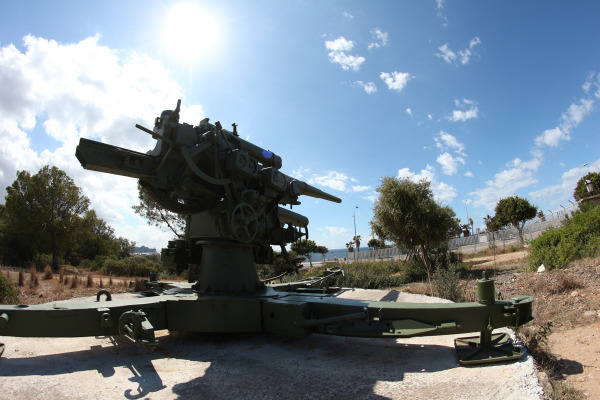
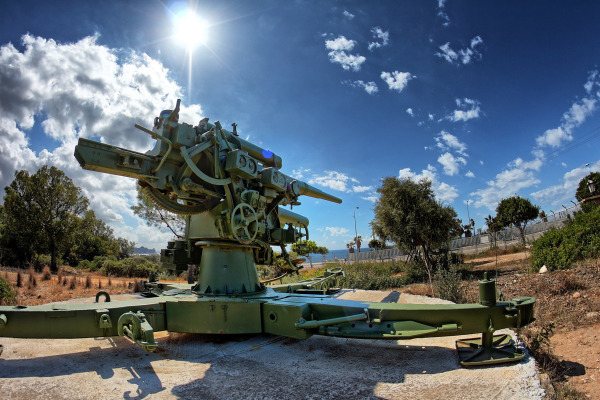
If you try to photograph a scene and get some unwanted over- or underexposured areas you may consider taking a bracketed sequence that could be later blended to HDR and processed. The easiest way to do so is to turn on auto exposure bracketing (AEB) in your digital camera, set the number of photos in the sequence and the EV (Exposure Value) spacing. The 0EV photo will be taken at the exposure time, ISO and the f-number measured by the camera as the best for the particular scene. The other photos will be deliberately underexposed (negative EV) or overexposed (positive EV) so they will contain details that are lost in the 0EV photo due to noise and overexposure. The photographed scene should be static - there should be no movement or light change during the photo sequence acquisition, otherwise ghosting effect will be visible in the assembled HDR image. Most ghosts however can be removed with easyHDR's manual or automatic ghost removal tools. You should use a tripod while taking the photo sequence, but hand-held photos that are misaligned can be aligned with easyHDR, which features both: manual and automatic alignment methods. It is possible to compensate for shift, rotation and perspective. If the autobracketing is not sufficient you may want to manually vary the exposure time, preferably with constant ISO and f-number. When you take for example three photos at 1/200 (A), 1/100 (B) and 1/25 sec (C), this will mean that the photo (A) is underexposed by 1 EV relatively to the photo (B) and the photo (C) is overexposed relatively to (B) by 2EV - so you have a photo sequence: -1EV, 0EV and +2EV. You can find more details about Exposure Value and a web-based calculator here.
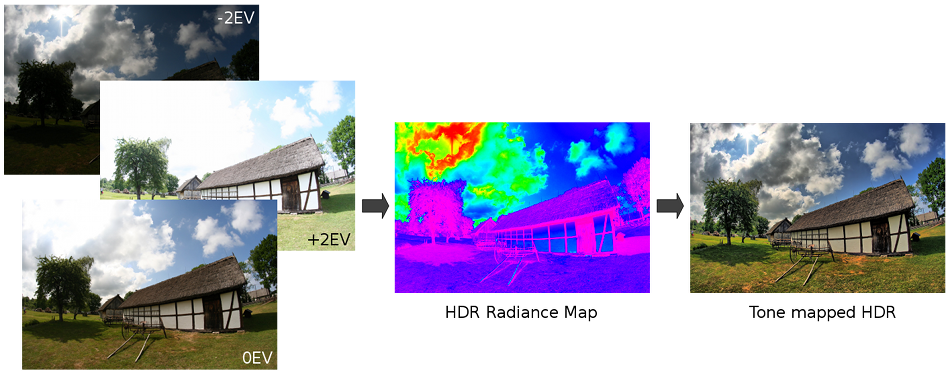
In case of the assembled HDR images, the ratio of pixel value to real scene radiance is linear. The CCD and CMOS sensors both have linear sensitivity too, but the photo taken with a digital camera undergoes processing before it is stored as JPEG on the memory card. That processing includes contrast (or dynamic range) compression, so the photo looks natural when is displayed on a computer screen. We could do the same with the HDR images (tone mapping with a global operator), but this will cause the loss of local contrast in the output photos. That's why the special, local operators, are used to tone map HDR images. Tone mapping is simply a procedure that allows the HDR images to be displayed on a screen or printed.
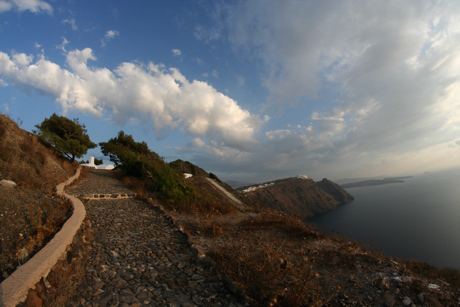
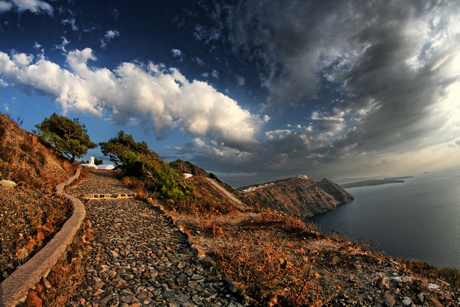
In many cases the photographed scenes do not characterize with very wide dynamic range, so taking an image sequence in order to assemeble and tone map a HDR may be too much effort. Also, by taking a RAW photo, instead of JPEG you can achieve a slightly higher dynamic range, so a single photo may be sufficient (RAW enhancement example). Below you can see a single JPEG photo taken with Canon 350D and the result after HDR treatment with easyHDR.


|
Copyright © 2006-2024, Bartłomiej Okonek. All rights reserved. This webpage uses Icons8 icons. |
|
| Home | About easyHDR | Version history | Download | Buy now | Documentation | Examples | Support | Affiliate program | Sitemap | Privacy | ▲ Scroll to the top |